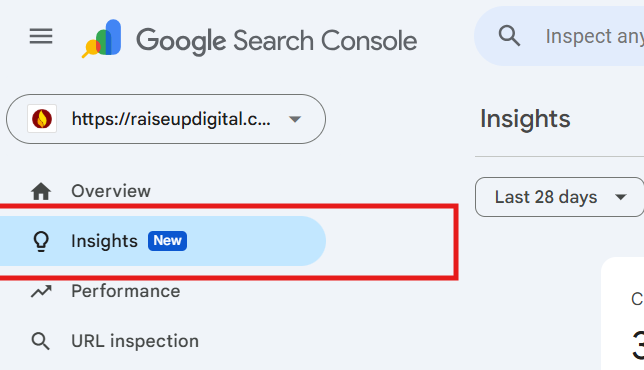
For site owners and marketers, understanding what content drives traffic is everything. In 2024, Google rolled out Google Search Console Insights (Beta) — a game-changing tool designed to help you see how your content performs, where visitors come from, and what keeps them engaged.
If you’ve ever wondered “what is Google Search Console Insights” and how it can improve your SEO strategy, this complete guide covers everything from setup to actionable use cases.
What is Google Search Console Insights?
Google Search Console Insights is a new feature that combines data from Google Search Console (GSC) and Google Analytics (GA) to give a content-focused view of your website’s performance.
Unlike standard Google Search Console reports, which are more technical, Search Console Insights is designed for content creators and marketers. It answers questions like:
- Which content drives the most traffic?
- How do visitors find your pages?
- Which queries trigger your top-performing posts?
- How do new pieces of content perform over time?
Key Benefits of Using Search Console Insights
1. Audience Behavior Insights
Understand which pages keep users engaged the longest and where they drop off.
2. Content Performance Overview
Quickly identify top-performing articles, videos, and blog posts.
3. Combined GA + GSC Data
Get a holistic view by merging Google Analytics sessions with Google Search data.
4. Track New Content Easily
See how your latest posts are performing without digging through multiple reports.
How to Access & Set Up Google Search Console Insights
You can access GSC Insights in three ways:
| 1. Direct Link: https://search.google.com/search-console/insights 2. Google Search Console Dashboard: (i) Open GSC (ii) Click on “Search Console Insights” on the overview page 3. Google Search App: (i) Log in with the same account linked to GSC (ii) Tap “Search Console Insights” |
Setup Steps:
- Ensure your site is verified in Google Search Console.
- Link your Google Analytics property (GA4 recommended).
- Wait for data to populate (may take 24–48 hours).
How to Use Google Search Console Insights for SEO
Once you’re in, here’s how to use Google Search Console Insights to improve SEO:
1. Track New Content Performance
- Check the “Your new content” section to see how recent posts are gaining traction.
- Identify which channels (search, social, referral) drive initial visits.
2. Find Top Queries
- See which search terms are bringing traffic to specific pages.
- Use this data to update old posts with relevant keywords.
3. Measure Audience Engagement
- Look at average engagement time.
- Pages with high bounce rates may need better internal linking or improved content.
4. Understand Referral Sources
- See which external sites link to you.
- Build relationships or optimize content for those audiences.
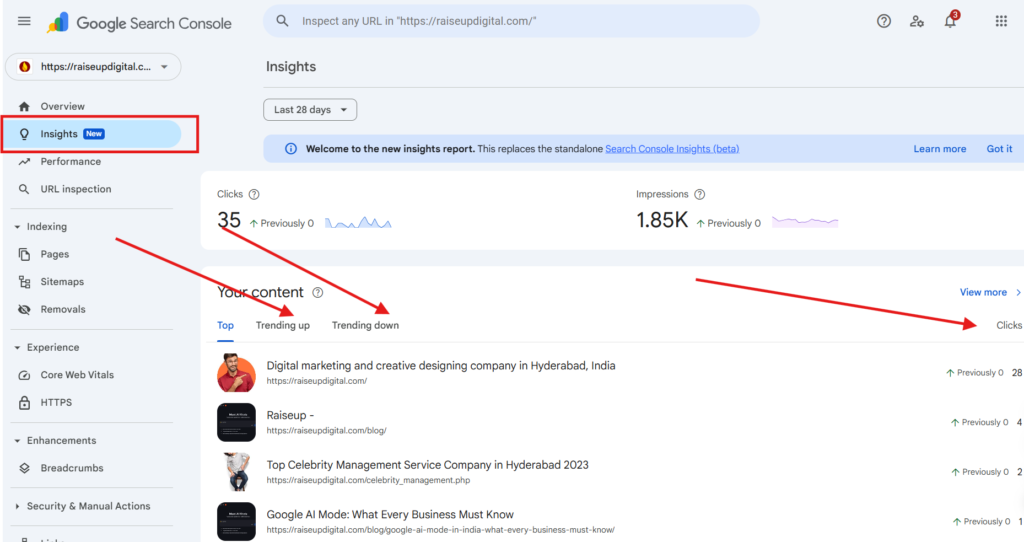
Understanding the Google Insights Report
The Google Insights Report breaks down into key sections:
- Top Content: Shows your best-performing pages.
- New Content: Tracks fresh posts or pages.
- Traffic Channels: Search vs. direct vs. social.
- Top Queries: Keywords driving clicks.
- Referring Sites: Who’s linking to you.
- Audience Engagement: Time on page and interaction.
Google Search Console Insights vs Google Analytics
| Feature | Google Search Console Insights | Google Analytics |
| Focus | Content performance & discovery | Site-wide user behavior & tracking |
| Data Sources | GSC + GA combined | GA only |
| Best For | Content creators, SEO strategists | Developers, marketing analysts |
| Ease of Use | Beginner-friendly | Requires setup & customization |
✅ Use both: GSC Insights for content SEO strategy and GA for detailed audience analysis.
Conclusion
Google Search Console Insights (Beta) is one of the most valuable tools for understanding your website’s content performance in 2025. By combining Google Search Insights with Analytics data, it gives content creators and SEO professionals a clear roadmap to optimize and grow.
Action Step:
Set up GSC Insights today, monitor your content, and refine your SEO strategy based on real data.
👉 Want expert help with SEO and content performance? Explore our SEO Services at Raiseup Digital.